


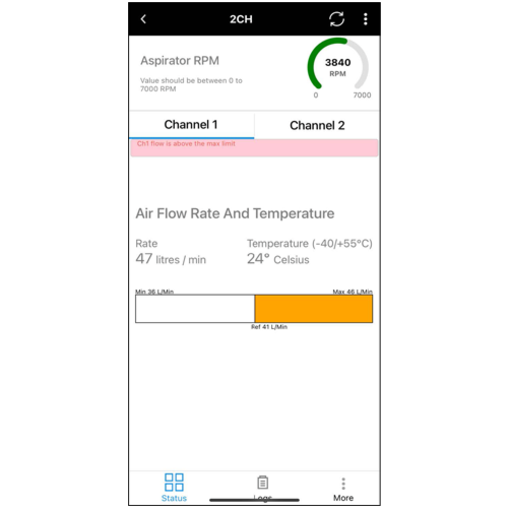
- Displays real time detector status (Alarm, Normal)
- Create projects for multiple sites’ detectors
- Configure detector parameters
- Monitor detector status
- Normalize detector
- Change detector password
- Display logs and events in chronological order
- Enables loop address updates without relying on mechanical rotary switches
FEATURES
- Displays real time detector status (Alarm, Normal)
- Create projects for multiple sites’ detectors
- Configure detector parameters
- Monitor detector status
- Normalize detector
- Change detector password
- Display logs and events in chronological order
- Enables loop address updates without relying on mechanical rotary switches
DOWNLOAD SOFTWARE
Use Google Play Store or Apple App Store to download and install the Addressable FAAST FLEX Bluetooth App:
- Open Google Play Store or Apple App Store and search for Honeywell Analytics
- From the search result, select and install the Honeywell SmartConfig Plus app
- Use compatible smart device running iOS16 or Android 13 or above, and Bluetooth 4.2 (Bluetooth Low Energy)
- The End user license Agreement will be presented to you when the installation is complete. You must agree to its terms to use Addressable FAAST FLEX Bluetooth App
To download the app on an iOS device, click here, or scan the QR code:

To download the app on an Android device, click here, or scan the QR code:

AVAILABILITY
Bluetooth is disabled by default, switch ON only if you are in regions where the Radio Emission approvals (RED, FCC) are satisfied.
RESOURCES

Product information is subject to change without notice. Product images may include options or accessories not included with the base model.


